 ডকুমেন্ট পাসওয়ার্ড পুনরুদ্ধার মাস্টার
পেশাদার পিডিএফ এক্সএলএস ডক পাসওয়ার্ড ক্র্যাকিং ডিভাইস তৈরি করতে আমার কোন ধরনের গ্রাফিক্স কার্ড বেছে নেওয়া উচিত?
This article shares what kind of graphics card to choose when building professional password cracking equipment, and aims to help experts designate and build economical and energy-efficient workstations for password recovery workloads. When building a password recovery workstation, power costs, long-term reliability, and warranty coverage must be considered. In this article, we will review the most common cooling solutions in today's GPUs and compare consumer graphics cards with lesser-known professional graphics cards.
Is mining expertise relevant?
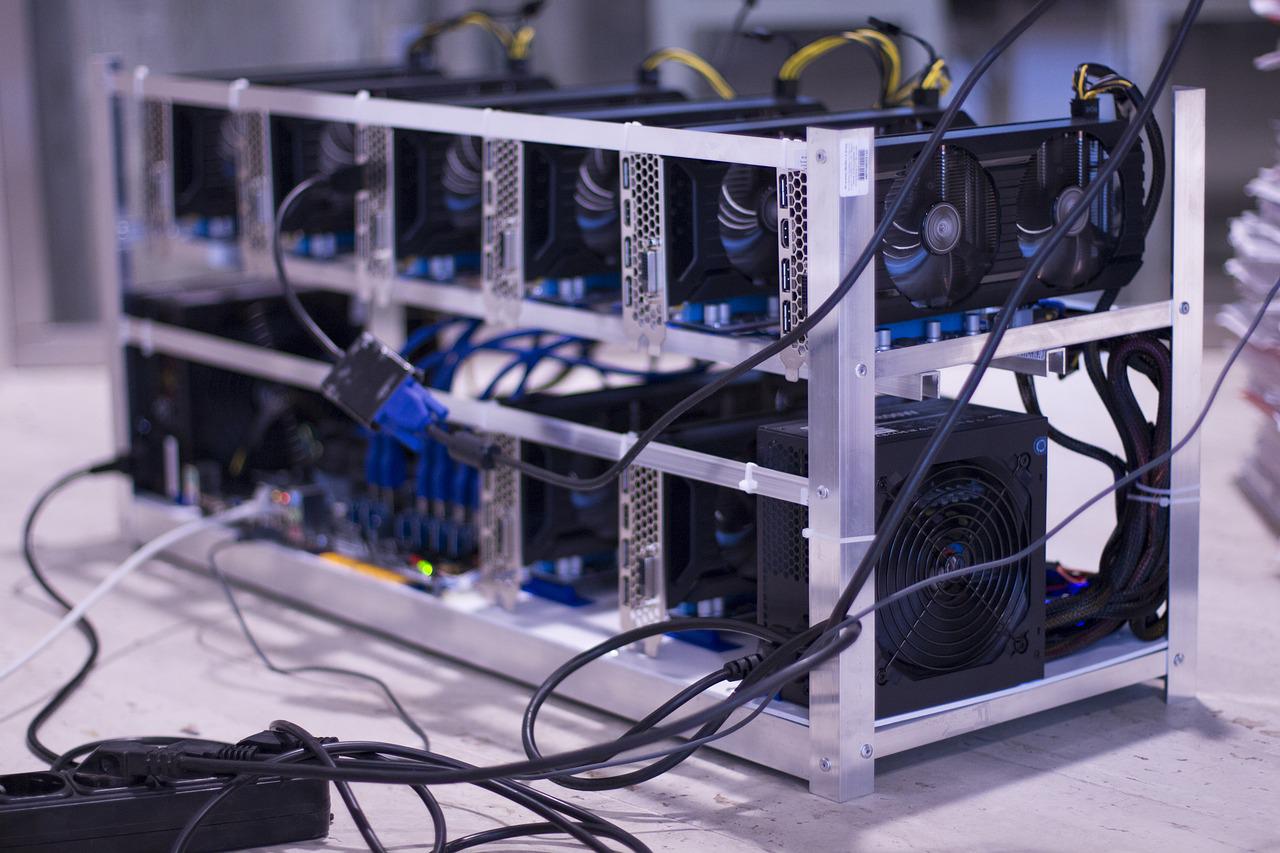
At first glance, the workload of cryptocurrency mining may be similar to that of cryptographic recovery, and it is tempting for experts to learn from the experience of miners when building cryptographic recovery rigs. In fact, this approach is not the best for a variety of reasons. Mines are built for profit; Ideally, profit quickly. These are typically built in open enclosures from available components that are rarely designed to withstand these types of workloads. Power consumption and power efficiency are often ignored, and if a given video card has already earned enough crypto cash, then long-term reliability is not an issue.
While mine-like systems are possible and used by forensic experts, they are often considered stopgap measures, even if they have been used for months or years. Workstations built to meet digital forensics needs have different priorities, with energy efficiency, overall stability, long-term reliability, and warranty coverage being top priorities.
GPU Cooling Solutions
Typical modern video cards use a large heatsink and one or more fans for cooling. The design of the cooling solution determines where the hot air goes. Depending on the working environment and workload type, different types of cooling solutions have advantages over other products.
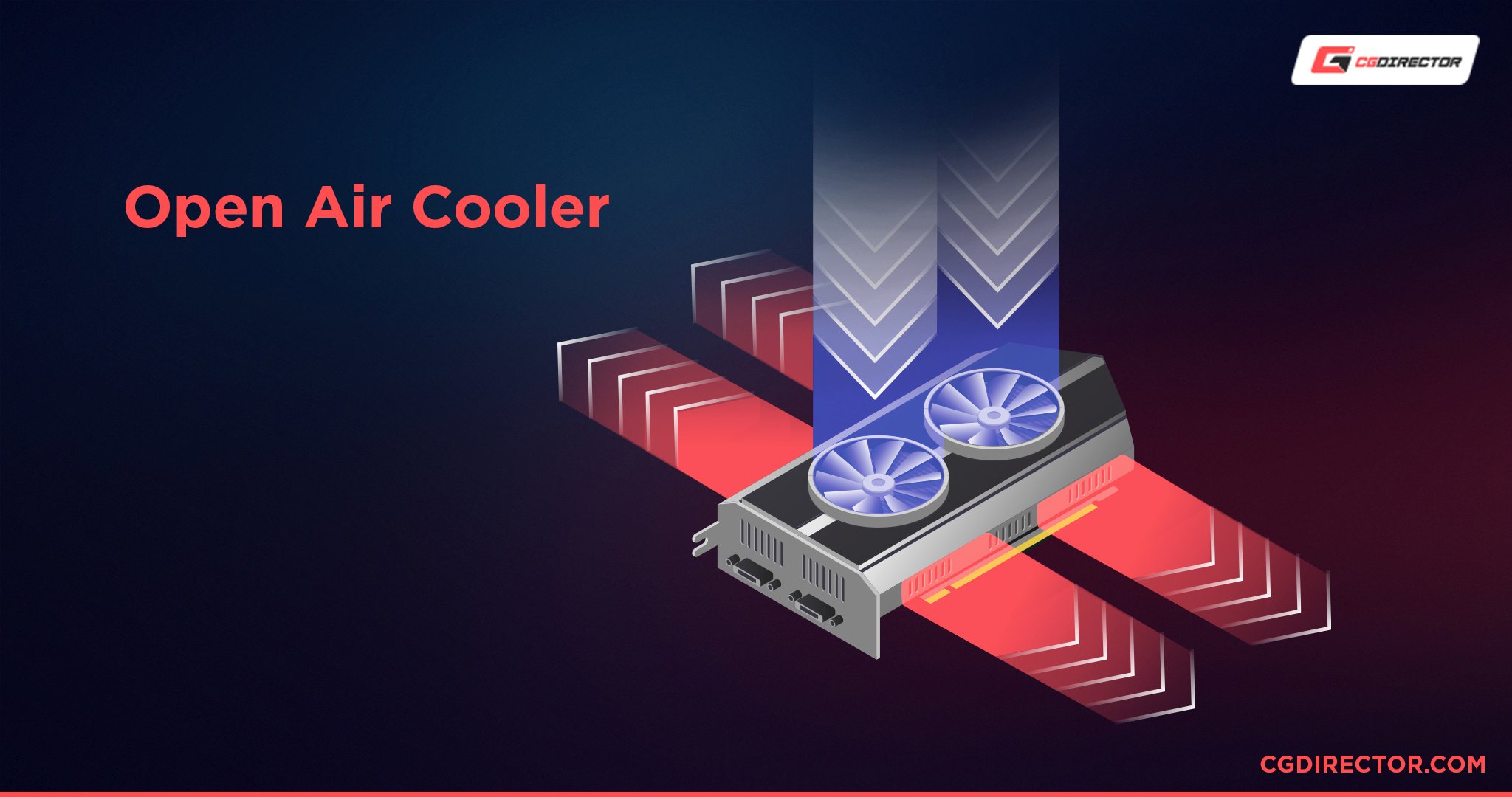
Most consumer video cards use what is known as an "open air" solution. In this design, the fan blows air onto the radiator, while the hot air escapes from the sides of the radiator. Warm air falls into the motherboard and computer chassis. If multiple video cards are installed, this solution works best in an open chassis or workbench.
The slightly different heatsink design places the fins parallel to the graphics card, blowing some of the hot air away from the computer chassis through the PCIe slot cover, while the rest is still thrown into the chassis.
If you are using an open enclosure, the orientation of the fins is not significantly correlated. This solution provides better cooling if you use multiple graphics cards in an enclosed chassis.
NVIDIA has developed hybrid solutions in its 3000 Series Founders Edition graphics cards. Part of the hot air is blown out of the chassis, and part is blown to the computer's CPU fan and expelled through the computer's system fan.
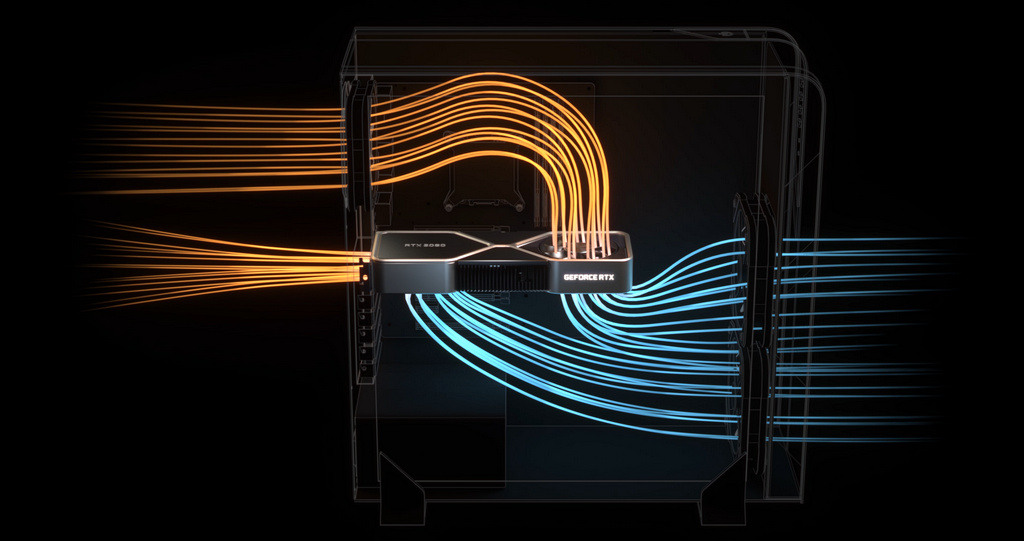
Internally, this cooling system looks like this:
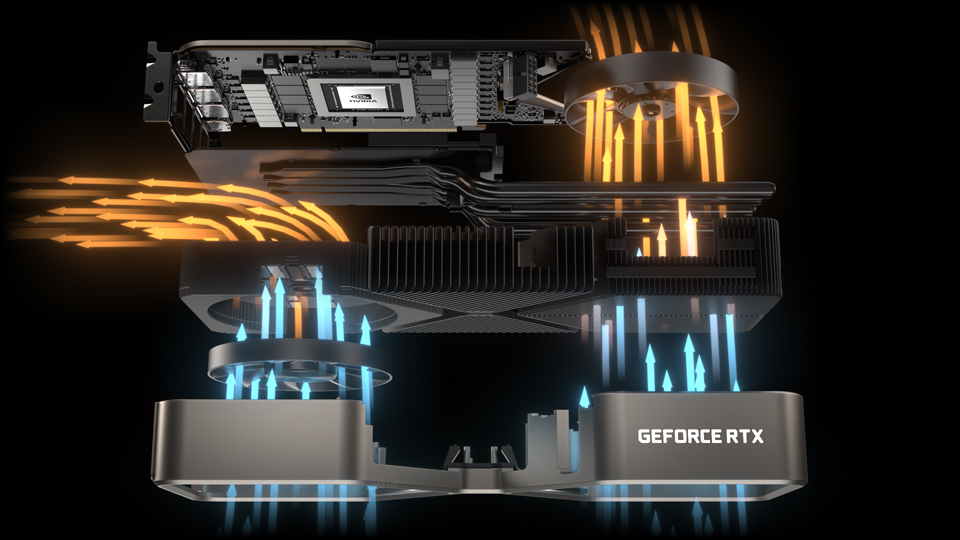
While this is a very good design from the perspective of the typical gamer and usually works properly if only one or two boards are installed in an enclosed chassis, this solution is still not suitable for workstations or rack chassis with multiple video cards installed side by side. To address this, NVIDIA has built a different type of cooling solution.
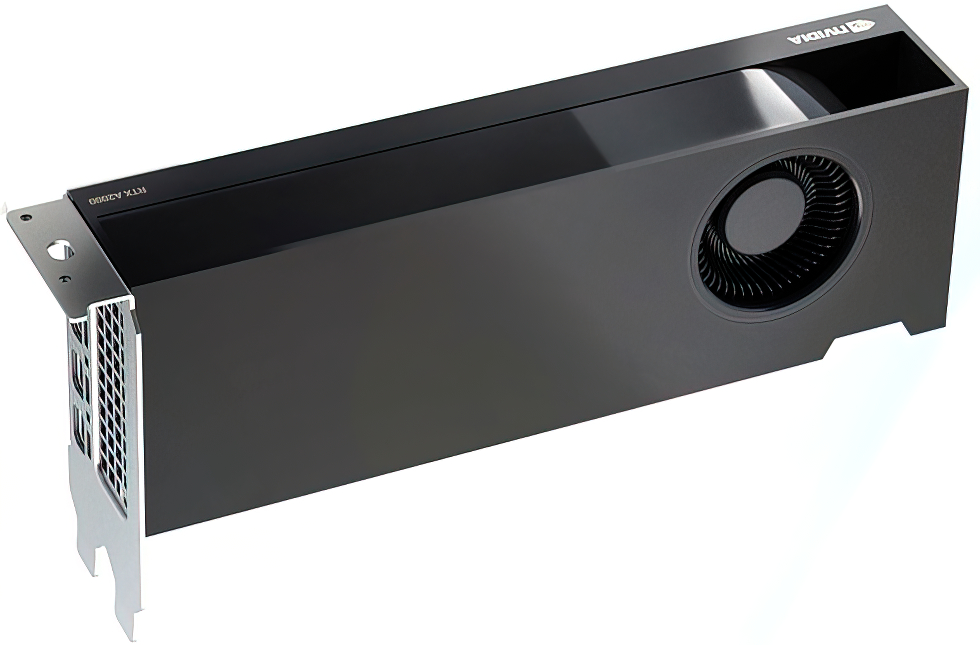
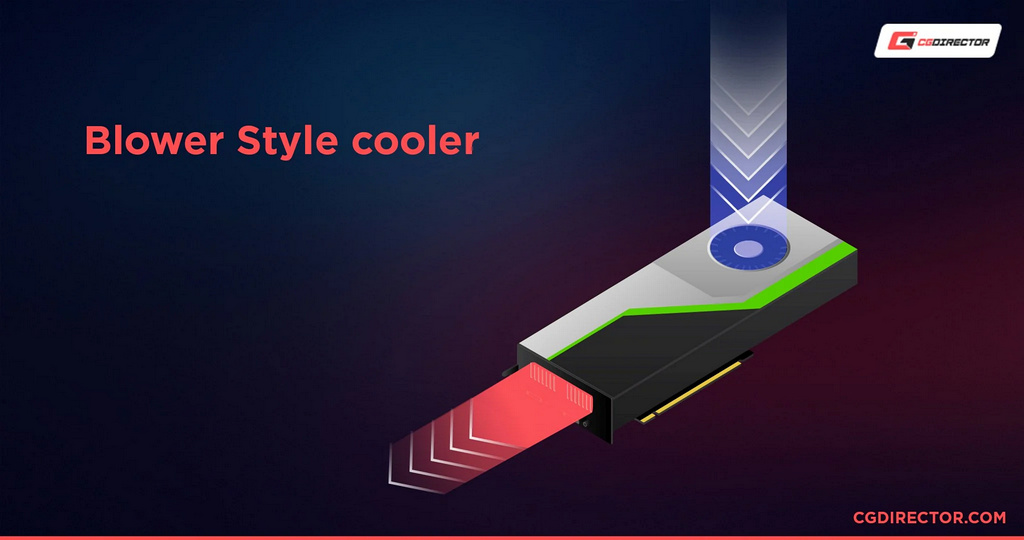
The idea between this cooling is shown in the slide below
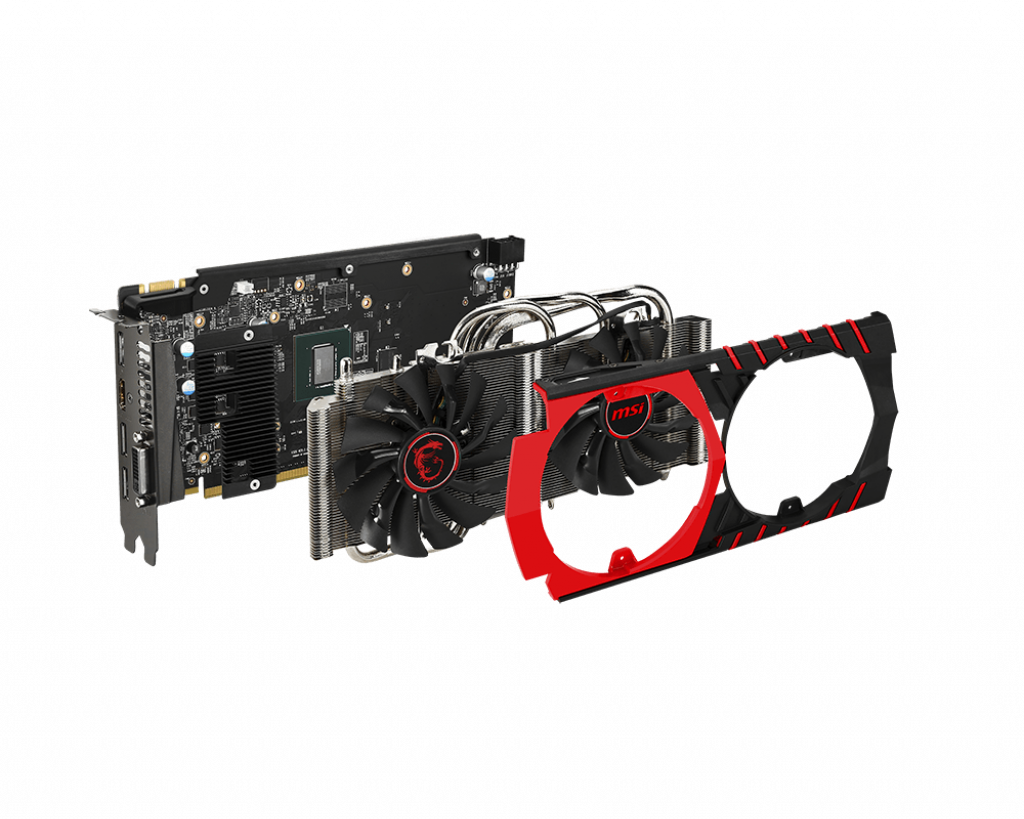
First, look at the "inside" of the single-slot Nvidia RTX A4000 graphics cards, the heat dissipation solution is disassembled:
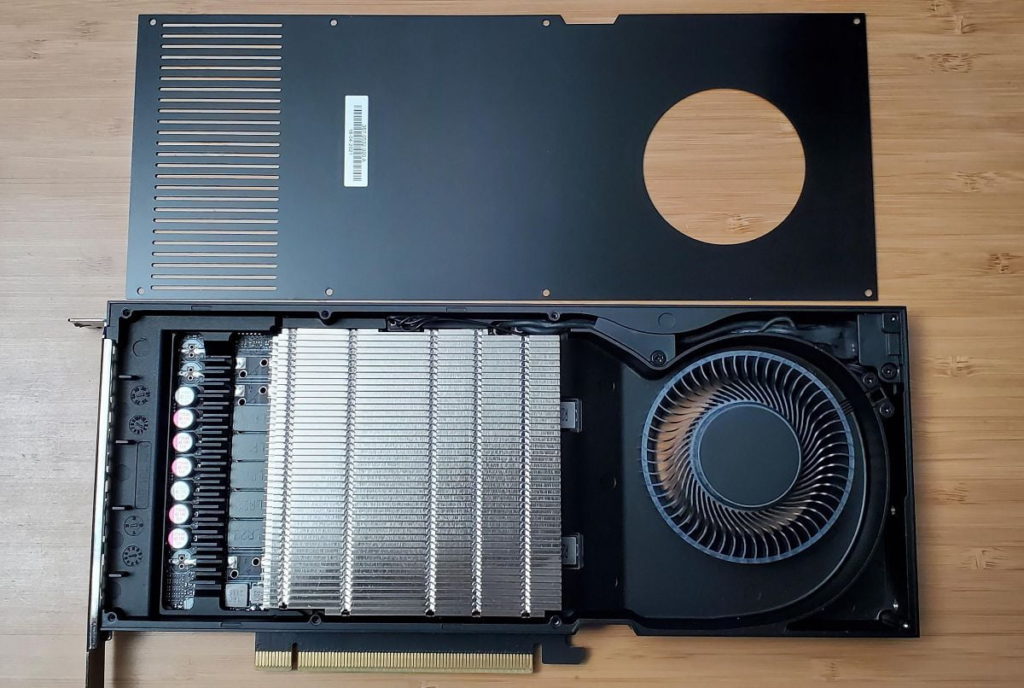
These cards are designed to run in rack-mounted servers.
Difference between open air fan and blower design:
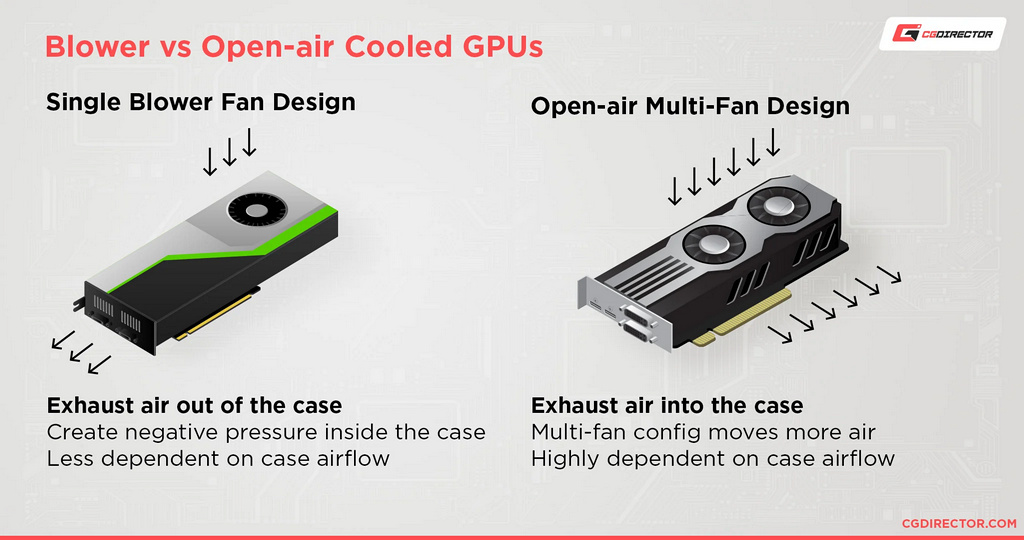
Blower cooling solutions are naturally designed for rack enclosures:
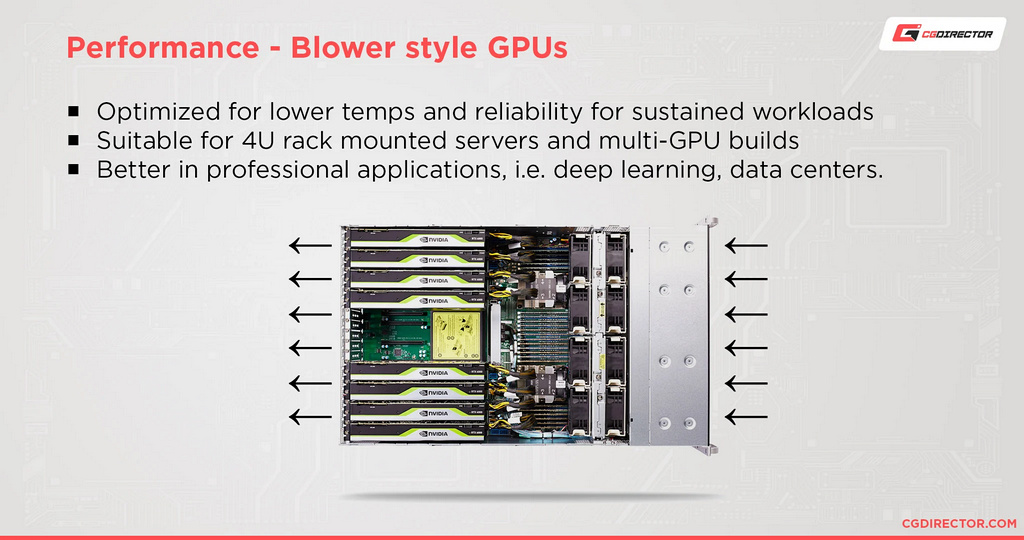
Blowers vs. Outdoor GPUs – Summary
Purchase an outdoor GPU if you meet the following criteria:
Plan to use a single GPU in your system.
Use the graphics card in a well-ventilated chassis, preferably a full-tower or mid-tower chassis, with sufficient chassis fans, unobstructed airflow, and a powerful cooling solution for the processor, SSD, and motherboard chipset.
You need the best performance from your GPU and plan to purchase a factory overclocked GPU or a self-overclocked GPU.
You need a system with the lowest possible noise output without the need for passive cooling
Purchase a blower GPU if you meet the following criteria:
Plan to use your GPU in a small size, such as mini-ITX, provided the graphics card heatsink fits the chassis. For a very small chassis, a low-profile graphics card is the only option, which will cause you to miss out on a high-performance GPU.
You need to run multiple GPUs in a tight space and/or plan to use high-speed interconnects such as Nvidia's NVLink.
Have a processor or SSD that works with outdoor systems in terms of temperature. This is important if you plan to overclock the processor, because even single-digit increases can lead to system instability and thermal throttling if the temperature rises.