 ডকুমেন্ট পাসওয়ার্ড পুনরুদ্ধার মাস্টার
কাঠ অভিধান জেনারেটর সবুজ সংস্করণ - কাঠ পাসওয়ার্ড অভিধান জেনারেটর ফ্রি সংস্করণ ডাউনলোড
Wood Super Dictionary Generator is a professional dictionary creation toolset that can create the dictionary that best suits your needs. Its functions include tools such as dictionary generation, modification, splitting, merging, and cleaning. In addition to its original conventional dictionary generation function, the wood super dictionary generator can also implement pinyin dictionaries, Chinese character dictionaries, English dictionaries, name dictionaries, social engineering dictionaries, and grouping dictionaries. The software supports direct split output of large dictionaries, and the file size of each dictionary can be set to facilitate your subsequent batch processing.
Dictionary modification method
1. Modify the dictionary by bit: Insert a character string, delete the specified character, and modify any bit in the dictionary.
2. Modify the dictionary by row: Add or delete specified rows.
3. Dictionary set operation: Treat the dictionary as a set, and you can perform merging, intersection, Descartes product, symmetric difference, and relative complement operations on the set.
4. Case Conversion: Arbitrarily convert the case of the dictionary or the upper case of the first letter.
5. Dictionary cleanup: Cleans up duplicate lines, empty lines, or lines of a specified string in the dictionary.
View dictionary attributes and calculate attributes such as dictionary size, maximum length, and minimum length.
Various dictionary generation and modification methods can be used in combination to skillfully generate a variety of simple and practical dictionaries.
Wooden Password Dictionary Generator Software Features
1. Dictionary Generation
Generates dictionaries of various letters, numbers, and symbols, including pinyin, name, birthday, English, and phone number dictionaries. It supports generating ultra-large files and can automatically split the results into multiple files. Before generation, the dictionary size and file size can be estimated in advance to avoid blind operation. You can also pause or resume the operation at any time as needed, and you can view intermediate results.
a. Regular dictionary:
Set letters, numbers or symbols as the generated character set (you can also customize the characters), especially a different character set can be set for each bit.
b. Date Dictionary:
Set the date range and date format to generate a "Birthday Password" dictionary. You can select multiple date formats or customize the date format.
c. Telephone (Mobile) Numbers
A dictionary is generated according to the rules of telephone numbers. A region can be set, and the software automatically queries the mobile phone number and area code of that region to obtain all telephone (mobile) numbers in that region.
d. Weak Passwords
The software has a built-in weak password library, which you can call directly or add a backup password to the library.
e. English Dictionary
The software has a built-in English vocabulary, including common English words, English regions, and English personal names. Can be directly referenced and added to the dictionary.
f. Pinyin Dictionary
Generate any Chinese character pinyin combination, and you can set initial and final filters.
2. Group Dictionary
This function can be used when each row in the dictionary consists of two or more groups, each group's length is fixed and has a different generated character set. If each packet is not fixed in length or more complex, generate each subsection separately and then use the dictionary merge feature.
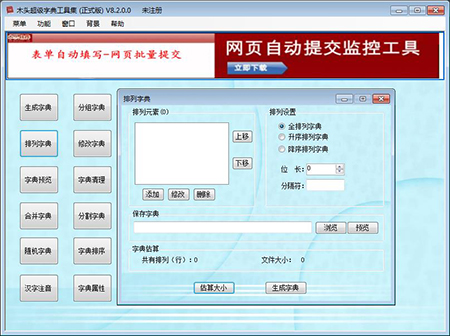
3. Arrangement Dictionary
The arrangement dictionary generator customizes elements. It takes all combinations of m elements from n elements as a full arrangement. It can also generate an ordered arrangement, and you can customize separators between the elements of the generated arrangement.
4. Modify the dictionary
A. Modify by row
Arbitrarily add rows and delete rows containing specific strings
b. Modify by column
Vertical insertion, deletion, change password
c. Case conversion
Convert dictionary files to uppercase, lowercase, first character uppercase, etc.
5. Dictionary Preview
Instantly open a large dictionary file, display the dictionary file contents, and quickly jump to any location in the file.
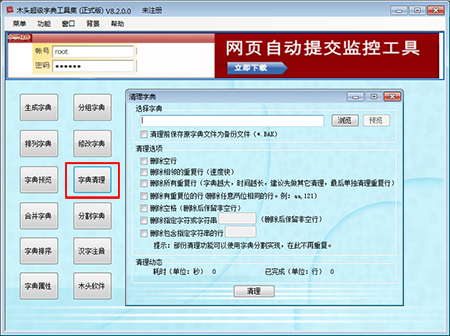
6. Dictionary Cleanup
Automatically cleans up empty lines, duplicate lines, and lines that meet special conditions in the dictionary.
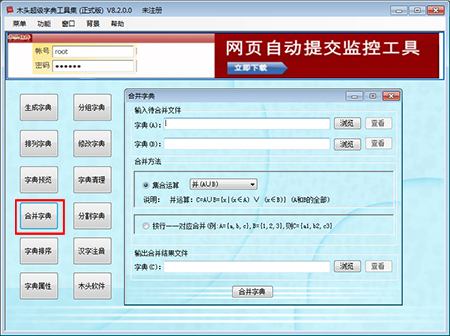
7. Merge Dictionaries
Supports merging two dictionaries into one dictionary folder. Merging methods include set union operation, intersection operation, relative complement operation (difference), symmetric difference operation, and Cartesian product operation. Supports merging two dictionary files according to row correspondence.
8. Split Dictionary
Split a large dictionary file into multiple dictionary files for easy subsequent step-by-step processing. It supports various dictionary segmentation methods such as horizontal average segmentation, horizontal conditional segmentation, and vertical segmentation.
9. Dictionary Sorting
Supports sorting unordered dictionaries by character order, random disordering of ordered dictionaries, and reverse (inverse) order reorganization of dictionaries.
10. Chinese Character Annotation
Annotates existing Chinese character text files, has built-in Chinese vocabulary files, and can generate a Chinese vocabulary pinyin dictionary.
11. Dictionary Attributes
Through reverse analysis, the generator set, maximum (minimum) length, and dictionary line size of the dictionary file are obtained.
WINXP and WIN2003 users must install the Microsoft .NET Framework 2.0 Service Pack 2 patch. Note that this is the SP2 patch.
Various dictionary generation and modification methods can be used in combination to cleverly generate various simple and practical dictionaries.
Wood Password Dictionary Generator Installation Steps
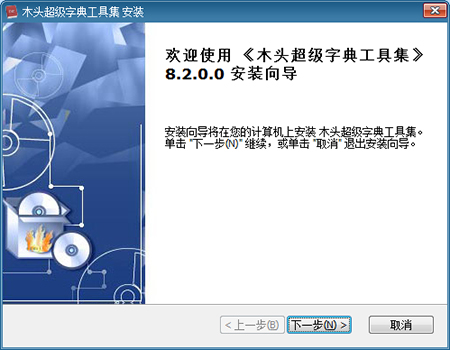
1. Double-click to download the Wood Password Dictionary Generator installation package from this site. After extracting it, double-click to enter the installation wizard and click [Next]
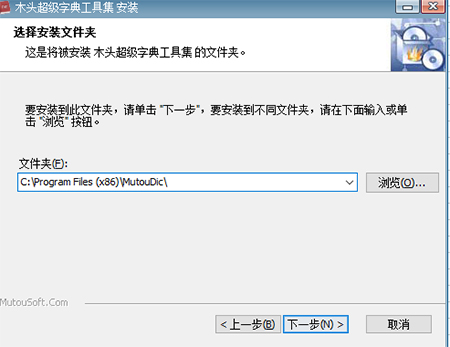
2. Select the installation location, click [Browse] to customize the installation file location, and click [Next]
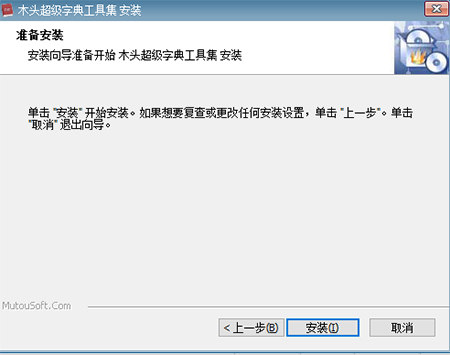
3. Prepare for installation. After confirming everything is correct, click [Install]
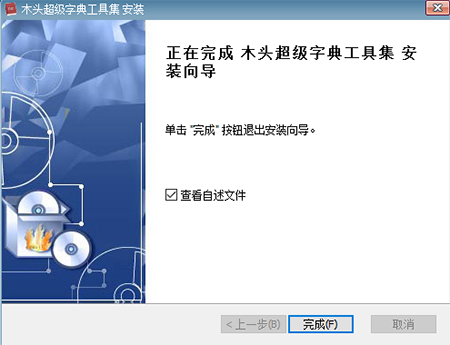
4. Wood Password Dictionary Generator installation complete
4. [Dictionary Cleanup] Click Browse, select the target file, and select the cleanup option to clean it up immediately.
5. After clicking [Merge Dictionaries], click [Browse] to select the dictionary files to be merged, and then click [Merge Dictionaries].
User Reviews
Renjian Zongwo:
It's very useful, and it's difficult to simplify; it's very convenient to use.
No customers:
It's very functional, very nice, recommended.
Menggusu:
The software is simple and clean, with no plugins. Give it a good review.
Past and Present Lives:
Not bad, I recommend downloading it.
Software Image Gallery
More software image gallery introductions
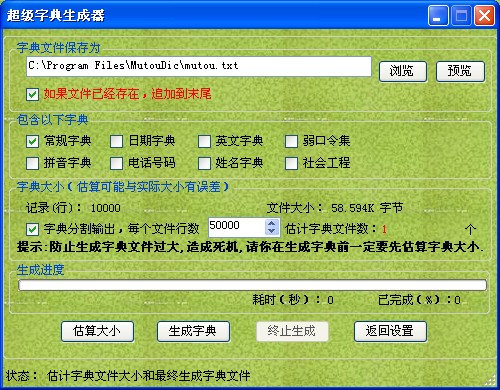
Note: The software image gallery is obtained from the official website of Wood Password Dictionary Generator or from the software client. It is mainly used to share the software's value. Please contact us if there is any copyright infringement!
The download link for the green version of the Wooden Dictionary Generator is the same. Just select a commonly used cloud drive and copy it to your browser to download!
Baidu Cloud: https://pan.baidu.com/s/1apWkL9rSeO36L-ynqodq5g?pwd=iyakExtraction Code: iyak
Xunlei Cloud:https://pan.xunlei.com/s/VO3unaoeuTy42F-WJKvjuxBFA1?pwd=ump8#Extraction Code: ump8
Lanzouyun: https://xiaodongzi.lanzout.com/ibwVk271kx4d
获取解压密码请联系:www.mima8.cn Customer Service WeChat Request