 パスワードの回復
Passper for Word グリーン版無料ダウンロード - Word パスワード解読ソフトウェアのダウンロード
Passper for Word (Word document password recovery software) is an efficient, convenient, and professional Word document password cracking tool. Passper for Word (Word document password recovery software) can help users crack passwords quickly and easily. You can easily remove operation permissions and support users to have multiple cracking types to crack passwords to meet your different usage scenarios.
Passper for Word (Word document password recovery software) features
1. Access locked Word documents without any protection
Unable to open encrypted Word documents
Unable to copy contents from locked Word documents
Unable to edit locked Word documents
Unable to delete contents from locked Word documents
Unable to comment on contents from locked Word documents
Unable to change the format of locked Word documents
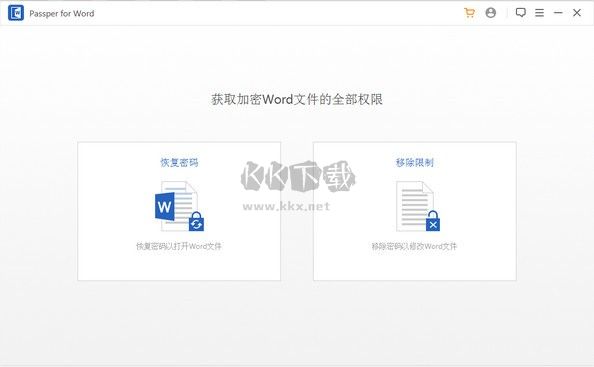
2. Recover the password for opening Word documents
Forgot your password and cannot open Word documents? Passper offers four types of attacks to recover passwords.
3. Remove editing and formatting restrictions in seconds
Even if you forget your password, please remove the protection and edit the Word document.
4. Combination Attack
It works by combining letters, numbers, or symbols of your choice. For example, if you select c, A, t, this method combines them into words like cat, cta, act, atc, tca, etc. until the password is recovered.
5. Dictionary attack
The dictionary attack will try all combinations of characters on the list until it finds your password. Passper provides a default dictionary. You can also import dictionary files.
6. Mask attack
If you know some details, using a mask attack can allow you to recover your password quickly.
7. Brute Force Attack
Try all combinations of all characters until you find your password. This method takes longer.
8. Highest recovery rate
Advanced algorithms make recovery more intelligent and have the highest recovery rate.
9. Fastest recovery speed
CPU and GPU acceleration technologies make recovery faster.
10. Save recovery progress
You can stop the recovery at any time and resume the process later.
11. Click to remove restrictions
You can remove editing restrictions in seconds.
Passper for Word (Word Document Password Recovery Software) Highlights
Use this simple application to recover lost Word document passwords or remove any formatting and editing restrictions.
A Simple Document Recovery Application
While Passper for Word may not be one, its dual functionality can make it a very useful tool. First, there is the "Recover Password" feature, which allows you to choose between three decryption methods: mask attacks, dictionary attacks, and brute force attacks.
The first method will ask you to provide any information you can remember about the lost password in order to decode it more quickly. The second method will browse through various dictionary words and try them one by one until one of them opens the document. The final method will attempt to recover the password using multiple methods, but it may take longer.
Removing restrictions made easy
If you simply want to remove formatting, editing, or access restrictions from your Microsoft Word file, Passper for Word can quickly do so using the Restriction Remover feature. After completing this process, you can enjoy full access to the document.
As I mentioned in previous paragraphs, this program is not one of them, which basically means you can find its features elsewhere for free. However, you may not find decryption tools and restriction removers in apps that are efficiently designed and very easy to use.
Passper for Word (Word document password recovery software) Usage scenarios
1. Forgot password and cannot open Excel
2. Cannot open encrypted Word file
3. Cannot copy spreadsheet
4. Unable to copy content in a locked Word file
5. Unable to edit content in a password-protected Excel file
6. Unable to edit a locked Word file
7. Unable to print a worksheet or workbook
8. Unable to delete content in a locked Word file
9. Unable to edit content in a password-protected Excel file
10. Unable to comment on content in a locked Word file
11. Unable to print a worksheet or workbook
12. Unable to change the format of a locked Word file
All of the above can be solved with Passper for Word
Passper for Word 4 ways to recover passwords
1. Dictionary attack
Dictionary attack requires you to provide anything you can remember about the lost password
2. Combination Attacks
Combination attacks work by combining letters, numbers, or symbols of your choice. For example, if you select c, A, t, this method combines them into the words cat, cta, act, atc, tca, etc. until the password is recovered.
3. Mask attack
If you know some details, a mask attack can allow you to recover your password quickly.
4. Brute force attack
Try all combinations of all characters until you find your password. This method takes longer. The download link for
PassperforWord_Green is the same. Just select a frequently used cloud drive and copy it to your browser to download!
Baidu Cloud:https://pan.baidu.com/s/1tGuohGuqifTVhmyR6wg42Q?pwd=ex6m Extraction Code: ex6m
Xunlei Cloud:https://pan.xunlei.com/s/VNxus0tAIaKS5c61DexqubMSA1?pwd=nfhr# Extraction Code: nfhr
Lanzouyun: https://xiaodongzi.lanzout.com/iO2W91ysn4bc
获取解压密码请联系:www.mima8.cn Customer Service Request
This resource is shared by Document Password Recovery Master www.mima8.cn . Please indicate the source when reprinting. Thank you for your cooperation! For more resources, please visit:www.mima8.cn/article/soft{}