 Document Password Recovery Master
How to recover passwords when opening a PDF, how to decrypt a PDF online, how to remove a PDF password.
PDF files have two passwords—an open password and an edit password. An open password means that when you open the PDF document, a password window will immediately pop up (you need to provide a password), while an edit password means that the PDF itself can be opened normally, but functions such as copying, printing, and editing are restricted.

If your PDF document is protected by an open password restriction, it will ask you to enter a password immediately before opening the file. Currently, we can only try to make sure the password is correct one by one. The PDF encryption method is AES encryption. Versions higher than Acrobat 4.0 cannot delete the password or bypass the password to open the file. The documents on the mainstream market are all higher than this version.
If your PDF document is protected by editing password restrictions, you may not be able to copy, print, edit, etc., which requires decryption to remove the restrictions.
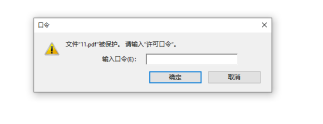
PDF Restricted Editing Password
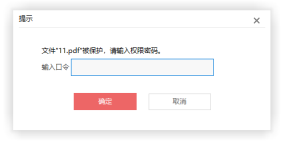
PDF Restricted Editing Password
To significantly improve decryption capabilities and quickly recover or remove passwords, this site uses a cloud computing cluster. You can upload files to this site to quickly try decryption. With the help of this cluster, you only need one step to launch large-scale cloud computing. It adopts the most advanced password recovery technology in the world, supports multiple recovery methods, and quickly solves the problem of forgetting your password.