 Document Password Recovery Master
Document Online Decryption Website - Recover Password - Crack Password Usage Tutorial
Step 1: Open the Document Password Recovery Master website, https://www.mima8.cn click Upload File on the homepage
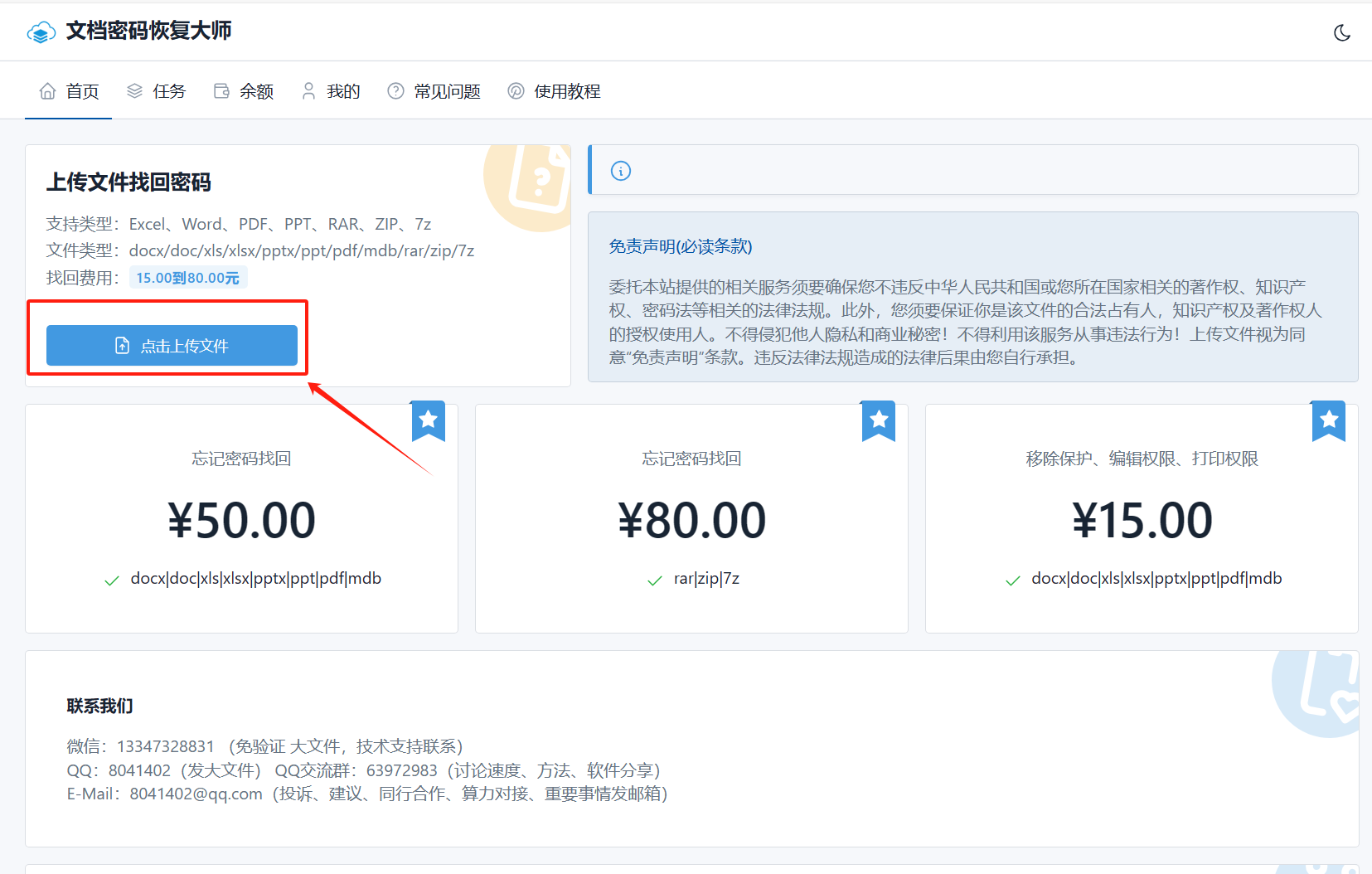
Step 2: Select the file to be processed. The system supports files in formats such as (docx/doc/xls/xlsx/pptx/PPT/PDF/mdb/RAR/ZIP/7Z) to recover passwords.
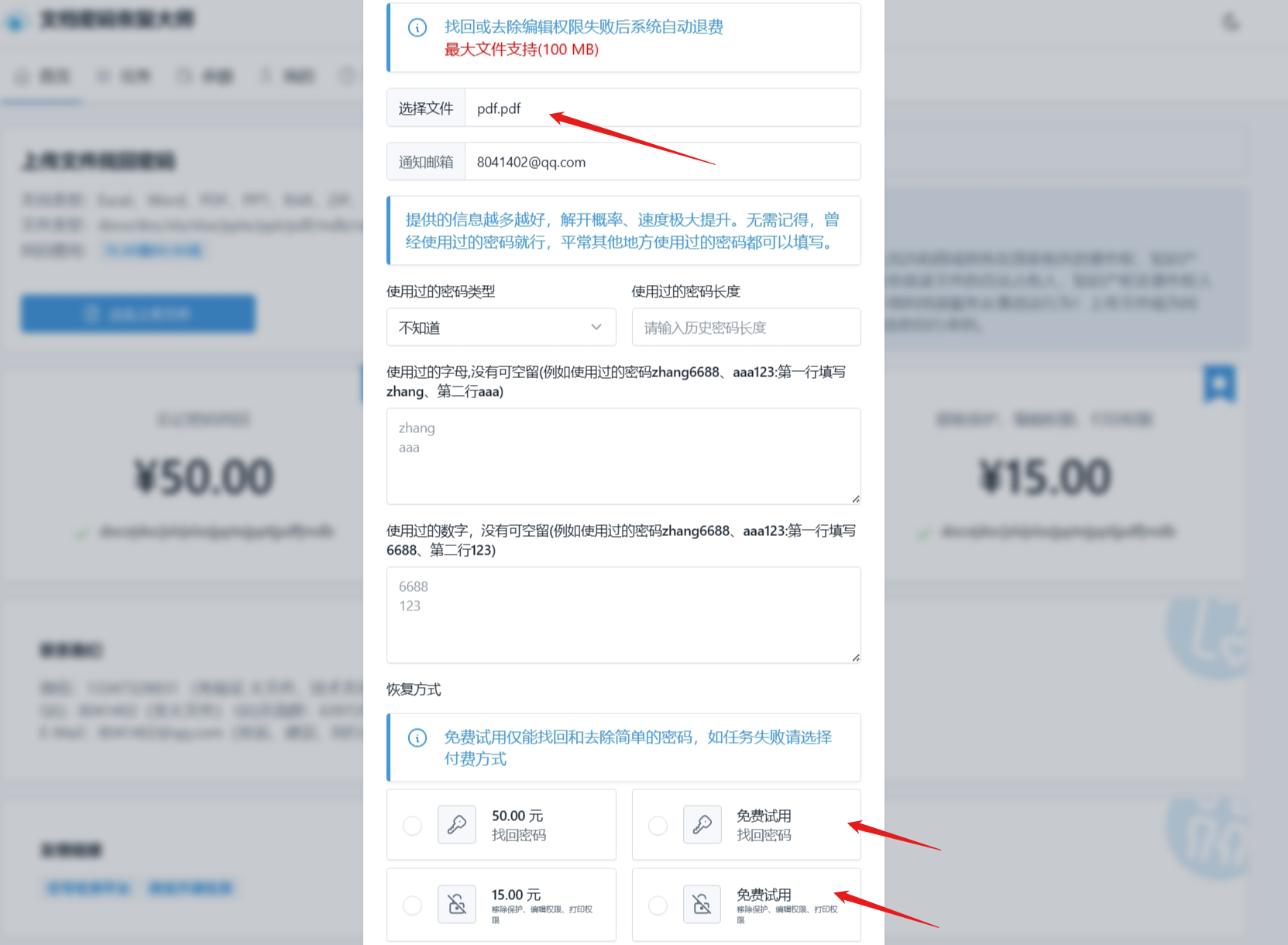
Using Document Password Recovery Master for online decryption is not only safe, but also very convenient. No need to download software; simply open your browser to decrypt your files in formats such as (docx/doc/xls/xlsx/pptx/PPT/PDF/mdb/RAR/ZIP/7Z) anytime, anywhere. In addition, Document Password Recovery Master is an affordable tool, so you don't need to spend a lot of time and money to solve docx/doc/xls/xlsx/pptx/PPT/PDF/mdb/RAR/ZIP/7Z password problems.
If you are looking for a simple and easy way to recover docx/doc/xls/xlsx/pptx/PPT/PDF/mdb/RAR/ZIP/7Z passwords, then Document Password Recovery Master is definitely the best choice for you. Come and try it!